
AI Tools You Can't Ignore in 2026 If You Want to Work Faster
Discover the essential AI tools dominating 2026 that will transform your productivity. From ChatGPT to Cursor, learn which tools will help you work faster and smarter.

In 2026, two platforms dominate the AI-enhanced productivity space: Notion AI, the knowledge management and documentation powerhouse, and ClickUp AI, the comprehensive project management system. Both have integrated sophisticated AI capabilities that transform how teams work, but they serve fundamentally different primary purposes with distinct strengths and ideal use cases.
This comparison reveals which platform genuinely serves your productivity needs. Whether you're managing projects, organizing knowledge, coordinating teams, or seeking all-in-one workspace solutions, understanding each platform's AI capabilities, core strengths, and limitations helps you choose the right tool—or strategic combination of both—for your workflow.
The choice between Notion AI and ClickUp AI depends on your primary need: Notion excels at knowledge management and documentation with AI that makes information discoverable, while ClickUp dominates project management with AI that optimizes task execution and team coordination.
The most important insight when comparing Notion and ClickUp is understanding they were built to solve different problems, with AI enhancing their distinct core capabilities rather than making them interchangeable.
Notion originated as a knowledge management and documentation platform—a flexible workspace for storing, organizing, and accessing information. Teams use Notion as their company wiki, documentation repository, knowledge base, and collaborative writing environment. The AI capabilities enhance these core functions by making information discoverable through Q&A, accelerating documentation creation, and helping teams extract insights from accumulated knowledge.
ClickUp was built as a project management and task execution platform—a system for planning work, assigning tasks, tracking progress, and coordinating team execution. Teams use ClickUp to manage projects, organize sprints, track deliverables, and ensure work gets completed on time. The AI capabilities optimize these core functions by automating task creation, suggesting optimal assignments, identifying blockers, and accelerating project planning.
This fundamental distinction means the platforms aren't in direct competition despite both offering AI-enhanced productivity. You choose based on whether your primary pain point is information chaos (scattered documentation, difficult knowledge retrieval, collaboration on writing) or execution chaos (unclear task assignments, missed deadlines, project coordination challenges).
Many sophisticated teams use both—Notion for documentation, knowledge management, and collaborative writing; ClickUp for project execution, task management, and workflow coordination. The platforms complement rather than compete when you understand their distinct purposes.
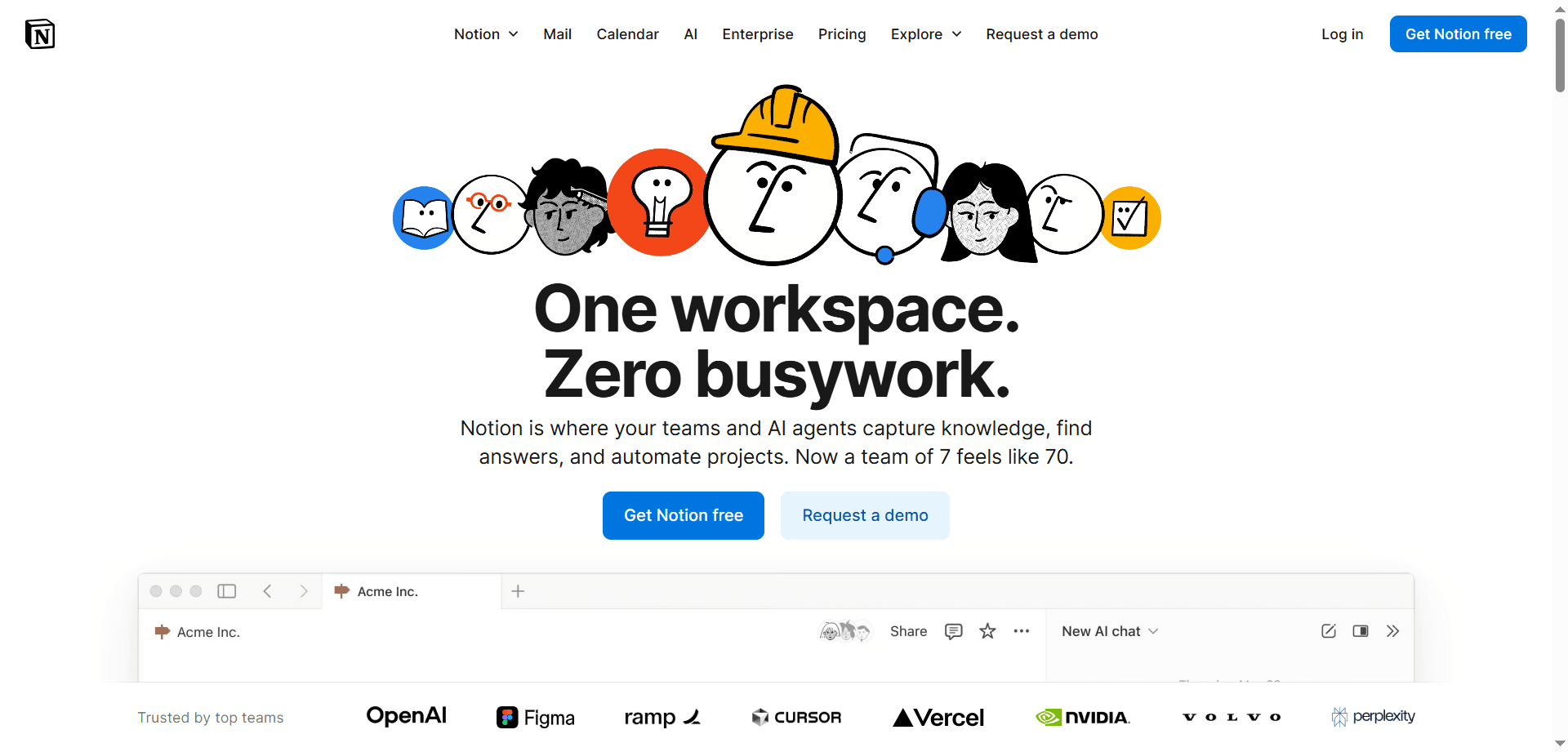
Notion AI's most transformative feature is workspace Q&A—the ability to ask natural language questions and receive accurate answers sourced from all your documentation, meeting notes, and stored information. Ask "What were the client's three concerns in last week's meeting?" and receive precise answers with source citations.
This capability solves the persistent problem of information living in scattered documents where it's effectively lost despite being technically accessible. Teams create extensive documentation that rarely gets referenced because finding specific information requires remembering where it was documented. Notion AI makes accumulated knowledge genuinely queryable, transforming static documents into an interactive knowledge base.
The Q&A system understands context, synthesizes information across multiple documents, and provides citations allowing verification of sources. This combination of convenience and verifiability makes it trustworthy for professional use where accuracy matters.
Notion AI accelerates documentation creation through AI-powered writing assistance embedded directly in pages. Generate meeting notes structures, expand bullet points into full paragraphs, summarize lengthy sections, adjust tone for different audiences, and translate content—all without leaving your workspace.
The writing assistance understands Notion's block-based structure, allowing targeted AI application to specific sections rather than entire documents. You can AI-generate an introduction while manually writing detailed sections, or expand rough notes into polished documentation selectively.
For teams maintaining extensive documentation—product specs, process guides, onboarding materials, research notes—this AI assistance reduces the friction that prevents documentation from being created and maintained. Writing feels less laborious, making teams more likely to document knowledge rather than leaving it in scattered messages or individual memories.
Notion's database system provides remarkable flexibility for organizing information—projects, tasks, contacts, resources, inventories—with custom views (tables, boards, calendars, galleries) and relational connections. AI enhances these databases through auto-fill capabilities, content generation, and intelligent data extraction.
The flexibility means Notion adapts to your information architecture rather than forcing predefined structures. Teams model information in ways that match their mental models and workflows, creating custom systems for tracking whatever matters to their specific context.
Real-time collaborative editing allows multiple team members to work simultaneously on documents with changes visible instantly. The permission system provides granular control over who can view, comment, or edit specific pages and databases.
For teams where documentation is central to workflow—product teams writing specs, content teams collaborating on articles, operations teams maintaining process guides—Notion's collaboration model enables seamless teamwork on written materials.
While Notion includes project management capabilities through databases and templates, it's not purpose-built for task execution and project coordination. Teams managing complex projects with dependencies, resource allocation, time tracking, and sprint management find Notion's project features insufficient compared to dedicated project management platforms.
Notion can track tasks and projects, but lacks sophisticated features like automatic dependency scheduling, resource capacity planning, critical path analysis, and built-in time tracking that project management platforms provide natively.
Notion's task management through checkbox items and databases works for simple to-do lists but lacks the sophisticated task features that productivity power users expect—recurring tasks, dependency chains, task prioritization algorithms, workload balancing, and intelligent scheduling.
For individuals or small teams with straightforward task needs, Notion's capabilities suffice. For teams managing complex workflows with interdependent tasks and resource constraints, dedicated task management tools provide necessary sophistication.
Users with extensive Notion workspaces (thousands of pages, large databases) sometimes experience performance issues—slower loading times, laggy editing, search delays. While Notion has improved performance significantly, it still struggles somewhat with truly massive information repositories.
Notion's mobile app provides access to all workspace content, but the experience is optimized for desktop use. Complex database views, extensive editing, and navigating large workspaces feel cumbersome on mobile devices compared to desktop experience.
Company Knowledge Base: Teams needing centralized, searchable repositories for company information, processes, and institutional knowledge.
Documentation-Heavy Work: Product teams, engineering teams, content teams, or any organization where written documentation is central to workflow.
Collaborative Writing: Teams that create content together—documentation, articles, reports, proposals—benefit from real-time collaboration and AI writing assistance.
Flexible Information Management: Organizations with unique information architecture needs that don't fit standard project management paradigms.
Meeting Notes and Knowledge Capture: Teams wanting centralized, searchable meeting notes with AI-powered Q&A to make meeting decisions retrievable.
ClickUp excels as a full-featured project management platform with sophisticated capabilities for planning, executing, and tracking complex projects. Task dependencies, Gantt charts, resource allocation, time tracking, sprint planning, workload views, and critical path analysis provide professional-grade project management tools.
Teams managing projects with multiple contributors, interdependent tasks, resource constraints, and deadline pressure find ClickUp provides the structural support necessary for coordinated execution. The platform handles project complexity that simpler task tools can't manage.
ClickUp AI automates significant project management overhead. The AI can generate task lists from project descriptions, create subtasks breaking down complex work, suggest task assignments based on team capacity and skills, identify potential blockers, and even draft status updates from project activity.
For project managers spending hours manually creating and organizing tasks, this automation reclaims substantial time. Describe a project goal, and ClickUp AI generates a structured task breakdown with suggested assignments, timelines, and dependencies—providing a starting point that would take hours to create manually.
ClickUp's workload views show team capacity and task distribution, enabling managers to identify overburdened team members and rebalance work before burnout occurs. The AI suggests task reassignments to optimize team capacity while maintaining project timelines.
For managers responsible for multiple team members and projects, this visibility prevents the common problem where some team members are overwhelmed while others have capacity—but workload imbalances remain invisible until they cause problems.
ClickUp provides 15+ views (List, Board, Calendar, Gantt, Timeline, Workload, etc.) allowing teams to visualize work in ways matching their preferences. Different team members can view the same projects in formats they find intuitive—developers might prefer board views, managers might prefer Gantt charts, and individual contributors might prefer simple lists.
This flexibility accommodates diverse work styles within teams rather than forcing everyone to work in a single view paradigm.
Built-in time tracking allows team members to log hours against tasks, with automatic timers and manual entry options. The reporting system generates insights into time allocation, project costs, productivity patterns, and capacity utilization.
For agencies, consulting firms, or any organization needing accurate time tracking for billing or productivity analysis, this integrated capability eliminates separate time tracking tools.
While ClickUp includes Docs for documentation, it lacks Notion's sophisticated knowledge management capabilities. There's no workspace Q&A feature making accumulated knowledge searchable through natural language. Documentation features feel like an add-on rather than core capability.
Teams can store documentation in ClickUp, but the experience isn't optimized for extensive writing, knowledge organization, or information retrieval the way Notion's is. For documentation-heavy teams, ClickUp's Docs feel limited.
ClickUp's extensive feature set creates steep learning curves. New users often feel overwhelmed by configuration options, view types, custom fields, automations, and settings. While this flexibility empowers power users, it intimidates beginners.
Teams need to invest time in onboarding and configuration to leverage ClickUp effectively. The platform rewards this investment with powerful capabilities, but the initial experience can feel daunting compared to simpler tools.
Similar to Notion, ClickUp can experience performance degradation in extremely large workspaces with thousands of tasks, extensive custom fields, and complex automations. Loading times increase and the interface can feel sluggish.
Unlike some competitors offering AI capabilities on free tiers, ClickUp's AI features require paid subscriptions. Free plan users miss out on AI-powered task generation, automation suggestions, and intelligent assistance.
Complex Project Management: Teams managing projects with dependencies, resource constraints, and coordination requirements benefit from ClickUp's comprehensive project tools.
Software Development Teams: Agile/Scrum teams running sprints, managing backlogs, and tracking development work find ClickUp's development-focused features ideal.
Agency and Client Work: Organizations managing multiple client projects simultaneously with time tracking and reporting needs leverage ClickUp's project segregation and reporting.
Operations and Task-Heavy Work: Teams where execution and task completion are primary concerns—operations teams, support teams, implementation teams—benefit from ClickUp's task management sophistication.
Multi-Departmental Coordination: Organizations needing to coordinate work across departments with visibility into cross-functional projects and dependencies.
Notion's workspace Q&A, sophisticated documentation capabilities, and flexible information organization make it superior for teams prioritizing knowledge management. ClickUp's Docs are functional but basic compared to Notion's comprehensive documentation features. If organizing and accessing knowledge is a primary need, Notion is the clear choice.
ClickUp's purpose-built project management features—dependencies, Gantt charts, workload management, sprint planning—far exceed Notion's capabilities. Teams managing complex projects with coordination requirements need ClickUp's sophisticated tools. Notion can track tasks but can't match ClickUp's project management depth.
Notion's AI excels at knowledge work—making information discoverable, accelerating documentation, and answering questions about accumulated knowledge. ClickUp's AI excels at execution work—automating task creation, optimizing assignments, and identifying project issues. Both are sophisticated but serve different productivity dimensions.
ClickUp's project-focused collaboration features—task assignments, workload visibility, status updates, team capacity views—better support coordinated execution. Notion excels at collaborative writing and documentation but lacks ClickUp's coordination features for distributed work execution.
Notion's cleaner interface and more intuitive information organization make it more accessible to new users. ClickUp's extensive features create overwhelming complexity initially. For teams wanting immediate productivity without extensive configuration, Notion is more approachable.
ClickUp's extensive customization options—custom fields, custom views, custom automations, custom statuses—provide more configuration flexibility. Notion is flexible for information organization but less configurable for workflow automation and custom processes.
ClickUp's native time tracking and comprehensive reporting capabilities are professional-grade. Notion lacks built-in time tracking entirely, requiring external integrations. For organizations needing accurate time tracking and productivity reporting, ClickUp is essential.
ClickUp's mobile app is optimized for task management on-the-go—checking off tasks, updating statuses, responding to assignments. Notion's mobile experience is more cumbersome for complex information navigation and editing. For team members working primarily from mobile, ClickUp provides better experience.
Free Plan: Unlimited pages and blocks for individuals, 10 guest collaborators, basic integrations. Genuinely useful for personal use or small teams.
Plus ($10/user/month): Unlimited file uploads, version history, advanced permissions, priority support. The starting point for team use.
Business ($15/user/month): Advanced workspace features, SAML SSO, advanced security, audit logs. For larger organizations with security needs.
Enterprise (Custom): Advanced controls, dedicated support, custom contracts, enhanced security features.
Notion AI Add-On (+$10/user/month): AI features are available as add-on to any paid plan, including workspace Q&A, AI writing assistance, and content generation.
Total Cost for AI Features: $20/user/month (Plus plan + AI add-on) for full AI-enhanced productivity.
Free Plan: Unlimited tasks, unlimited members, 100MB storage, basic features. Functional for small teams with simple needs.
Unlimited ($7/user/month): Unlimited storage, integrations, dashboards, Gantt charts, custom fields. The practical starting point for team use.
Business ($12/user/month): Advanced features including timelines, workload management, custom exporting, advanced automations, advanced reporting.
Enterprise (Custom): Unlimited everything, white labeling, advanced permissions, dedicated support, enterprise API access.
ClickUp AI Add-On (+$5/user/month): AI features available as add-on to any plan, including AI-powered task generation, automation suggestions, and intelligent summaries.
Total Cost for AI Features: $12/user/month (Unlimited plan + AI add-on) for full AI-enhanced project management, or $17/user/month for Business + AI.
ClickUp provides AI-enhanced productivity for $12/user/month versus Notion's $20/user/month. For budget-conscious teams, ClickUp delivers sophisticated features at lower cost. However, cost comparison should consider which tool better serves your primary needs rather than price alone.
For teams needing both knowledge management and project management, using both platforms costs $32/user/month—expensive but potentially justified if each platform prevents hiring additional coordinators or project managers.
Best Choice: ClickUp AI (with Notion for documentation)
Development teams need sophisticated sprint planning, backlog management, dependency tracking, and task coordination that ClickUp provides. Use ClickUp as the primary tool for sprint execution and task management. Add Notion for technical documentation, architecture decisions, and knowledge base if documentation volume justifies the addition.
Best Choice: Notion AI (with ClickUp for campaign management)
Content teams prioritizing collaborative writing, content libraries, and brand documentation benefit from Notion's knowledge management strengths. The AI writing assistance accelerates content creation. Add ClickUp if managing complex multi-channel campaigns with many coordinated tasks and dependencies.
Product teams need both—Notion for product specs, feature documentation, user research, and product knowledge base; ClickUp for roadmap planning, feature development tracking, sprint management, and cross-functional coordination. The combination provides comprehensive product management infrastructure.
Agency work requires sophisticated project management—multiple client projects, time tracking, resource allocation, deliverable tracking. ClickUp's project segregation, time tracking, and reporting are essential. Notion can supplement for proposals, SOPs, and internal knowledge management if needed.
Best Choice: Notion AI (initially) or ClickUp AI (for operations-heavy businesses)
Early-stage startups benefit from Notion's flexibility for rapidly evolving information needs—product documentation, company wiki, meeting notes, process guides. As execution complexity grows, add ClickUp for project management. Operations-heavy businesses should start with ClickUp for task and project management from day one.
Remote teams need clear task visibility, status transparency, and coordination tools that ClickUp provides. Asynchronous work requires explicit task assignments, deadline tracking, and workload visibility—all ClickUp strengths. Notion supplements well for company knowledge and documentation.
Best Choice: ClickUp AI (with Notion for knowledge management)
Professional services firms need time tracking, project accounting, resource planning, and client management that ClickUp handles well. Add Notion for methodology documentation, proposal libraries, and institutional knowledge capture that enhances service delivery.
Many sophisticated teams use both platforms strategically, leveraging each for what it does best rather than forcing one tool to serve all needs.
• Company wiki and knowledge base
• Product documentation and technical specs
• Meeting notes and decision documentation
• Process guides and SOPs
• Research and analysis documents
• Collaborative writing and content creation
• Project planning and execution
• Task assignment and tracking
• Sprint management and backlog
• Time tracking and resource allocation
• Workflow automation
• Client project management
• Link ClickUp tasks to relevant Notion documentation pages
• Reference Notion specs in ClickUp task descriptions
• Use Notion for project kickoff documentation, ClickUp for execution
• Archive completed project documentation in Notion, maintain active work in ClickUp
Combined Cost: $32/user/month (Notion Plus + AI + ClickUp Unlimited + AI)
• Teams of 10+ people where coordination overhead justifies investment
• Organizations with both heavy documentation needs AND complex project management requirements
• Product companies needing comprehensive infrastructure for planning and execution
• Professional services firms managing knowledge and client projects simultaneously
Alternative to Hiring: The combined cost ($32/user × 10 users = $320/month) may prevent needing dedicated project managers or knowledge management roles, making the investment cost-effective despite seeming expensive.
• Team is small (under 5 people) where one tool suffices
• Needs are clearly weighted toward one category (mostly documentation OR mostly project management)
• Budget constraints make dual investment impractical
• Team lacks discipline to maintain two systems consistently
• Workflow is simple enough that free/basic tiers satisfy needs
Common Trigger: Teams outgrow Notion's project management capabilities as coordination complexity increases.
• Start by moving active projects and task tracking to ClickUp
• Keep documentation, meeting notes, and knowledge base in Notion
• Use ClickUp for execution, Notion for reference
• Gradually shift or maintain dual systems based on needs
Challenges: Notion's flexible databases don't map perfectly to ClickUp's structured project model. Expect manual data transfer and workflow redesign rather than clean migration.
Common Trigger: Teams find ClickUp's complexity excessive for relatively simple project needs, or documentation needs become primary.
• Export ClickUp data and restructure in Notion databases
• Simplify project management to match Notion's capabilities
• Accept reduced project management sophistication for improved documentation
• Use Notion's project templates as starting points
Challenges: Losing ClickUp's advanced features (dependencies, workload views, time tracking) may impair project management capability. Only migrate if these features aren't critical.
Best Approach: Start with one platform for primary need, add second when that specific need emerges.
• Begin with either Notion (if documentation-heavy) or ClickUp (if project-heavy)
• Use primary platform exclusively until specific limitations become painful
• Add complementary platform only when clear use case emerges
• Establish clear boundaries for what lives in each system
• Train team on integration strategy to prevent confusion
Notion connects with Slack, Google Drive, GitHub, Figma, and dozens of other tools through native integrations and API access. The integration ecosystem supports automation workflows (via Zapier/Make) and data syncing with external systems.
• Slack integration for notifications and quick access
• Google Drive/Dropbox for file storage
• Calendar integrations for scheduling
• GitHub for development team workflows
• API access for custom integrations
ClickUp's integration ecosystem is more extensive—1,000+ native integrations and connections plus robust API access. The broader integration support reflects ClickUp's positioning as comprehensive work management hub.
• Slack, Microsoft Teams, Google Workspace integrations
• Development tools (GitHub, GitLab, Bitbucket)
• Time tracking tools (Toggl, Harvest, Everhour)
• Communication platforms (Zoom, Loom)
• Storage services (Dropbox, Box, OneDrive)
• CRM and sales tools (HubSpot, Salesforce)
• Extensive API for custom development
Integration Winner: ClickUp for breadth and depth of native connections, particularly for project management adjacent tools.
Notion continues doubling down on knowledge management with AI enhancements focused on making information more discoverable and useful. Future developments likely include:
• More sophisticated workspace Q&A with multi-modal understanding (images, tables, charts)
• AI-powered content suggestions and proactive information surfacing
• Enhanced collaboration features for distributed documentation work
• Deeper integration of AI throughout the editing and organization experience
• Improved performance for large workspaces
Notion is unlikely to pivot toward becoming a full project management platform—they recognize their core strength is knowledge work and will enhance that rather than compete directly with dedicated project tools.
ClickUp aims to be the comprehensive "everything app" for work—consolidating project management, documentation, communication, and workflows in one platform. Future developments likely include:
• More AI-powered automation and intelligent task management
• Enhanced knowledge management features to better compete with Notion
• Deeper AI integration for project planning and resource optimization
• More communication and collaboration features reducing need for external tools
• Continued expansion of "ClickUp Brain" AI capabilities across all features
ClickUp's strategic direction is platform consolidation—reducing need for multiple tools by building comprehensive functionality into a single platform. This contrasts with Notion's focused approach.
The choice between Notion AI and ClickUp AI isn't about which tool is objectively better—it's about which tool serves your primary productivity need. If your team struggles with scattered information, inconsistent documentation, and difficulty finding past decisions, Notion AI's knowledge management capabilities solve your core problem. If your team struggles with missed deadlines, unclear task ownership, and project coordination chaos, ClickUp AI's project management sophistication addresses your primary pain point.
For many teams, the answer isn't choosing one platform but strategically using both—Notion for knowledge management and documentation, ClickUp for project execution and task coordination. While this combined approach costs more ($32/user/month), it may prevent needing dedicated coordinators or project managers, making the investment cost-effective for teams of 10+ people with both documentation and execution complexity.
Start with the platform that addresses your most painful problem. If documentation chaos causes the most friction—information lost in scattered files, decisions forgotten, knowledge trapped in individual minds—begin with Notion AI. If execution chaos causes the most pain—missed deadlines, unclear assignments, coordination failures—begin with ClickUp AI. Use the primary platform exclusively until you clearly identify needs it doesn't serve, then add the complementary platform strategically.
The most successful teams aren't those using the "best" tool in abstract terms, but those using the right tool for their specific workflow challenges. Understand whether your team needs better knowledge management or better project execution—then choose the platform purpose-built for that need. Both Notion AI and ClickUp AI are excellent at what they're designed for; the key is matching tool to need rather than forcing one tool to serve all purposes.
Your productivity platform should feel like it works with your team's natural workflow rather than forcing adaptation to the tool's paradigm. If your team thinks in documents and knowledge sharing, Notion will feel natural. If your team thinks in tasks and project milestones, ClickUp will feel intuitive. Choose the tool that matches how your team already thinks about work, then leverage AI to multiply the productivity gains.
Discover the essential AI tools dominating 2026 that will transform your productivity. From ChatGPT to Cursor, learn which tools will help you work faster and smarter.

Discover the top AI tools revolutionizing content creation in 2026. From video editing to social media management, learn which tools will transform your creative workflow.

Discover how modern professionals are transforming from manual app-switching to AI-powered integrated orchestration. Learn the tools and strategies that eliminate workflow friction and multiply daily productivity.

Discover how the software development landscape has transformed from AI-assisted coding to Agentic Engineering. Learn about the best AI tools developers use in 2026 to manage fleets of AI agents for autonomous development.