
AI Tools You Can't Ignore in 2026 If You Want to Work Faster
Discover the essential AI tools dominating 2026 that will transform your productivity. From ChatGPT to Cursor, learn which tools will help you work faster and smarter.

In 2026, two AI-powered scheduling platforms lead the market for intelligent calendar management: Motion, the comprehensive task-and-calendar system that automatically schedules your entire workday, and Reclaim, the calendar optimization specialist focused on defending time for priorities, habits, and work-life balance. While both use AI to manage your schedule intelligently, they approach the problem from different philosophical perspectives with distinct strengths.
This comparison reveals which platform genuinely serves your productivity needs. Whether you're managing complex project portfolios, coordinating team schedules, protecting personal time, or seeking comprehensive calendar-task integration, understanding each platform's approach, capabilities, and limitations helps you choose the right tool—or determine if simpler alternatives better serve your needs.
Motion excels as an all-in-one task and calendar system that automatically schedules your entire day, optimizing for task completion and deadline management. Reclaim focuses on defending time for priorities, habits, and personal commitments while optimizing team coordination and work-life balance.
The most important insight when comparing Motion and Reclaim is recognizing their fundamentally different approaches to intelligent scheduling—both use AI, but they optimize for different outcomes reflecting distinct philosophies about productivity.
Motion embodies the "AI as project manager" philosophy—you tell Motion about all your tasks and deadlines, and it becomes your always-on project manager automatically scheduling when you'll work on everything. Motion optimizes for task completion efficiency, ensuring critical work gets done before deadlines while adapting dynamically when priorities shift or meetings run long.
The Motion approach appeals to users who want to offload scheduling decisions entirely—you trust the AI to figure out optimal task sequencing, time allocation, and priority management. You follow Motion's schedule rather than creating your own, accepting AI judgment about when to work on what.
Reclaim embodies the "AI as personal advocate" philosophy—you teach Reclaim about your priorities, habits, and boundaries, and it defends time for what matters while optimizing around meetings and obligations. Reclaim optimizes for work-life balance and priority protection, ensuring your calendar includes time for focused work, personal commitments, and healthy habits rather than filling completely with meetings.
The Reclaim approach appeals to users who know what they need to do but struggle maintaining boundaries—you want AI help protecting time for priorities rather than dictating minute-by-minute task schedules. You maintain control over what you work on while AI ensures you have protected time to do it.
This philosophical difference means they serve different primary pain points: Motion solves "I have too many tasks and don't know when I'll do them all" while Reclaim solves "Meetings and interruptions consume my calendar, leaving no time for actual work or personal life."
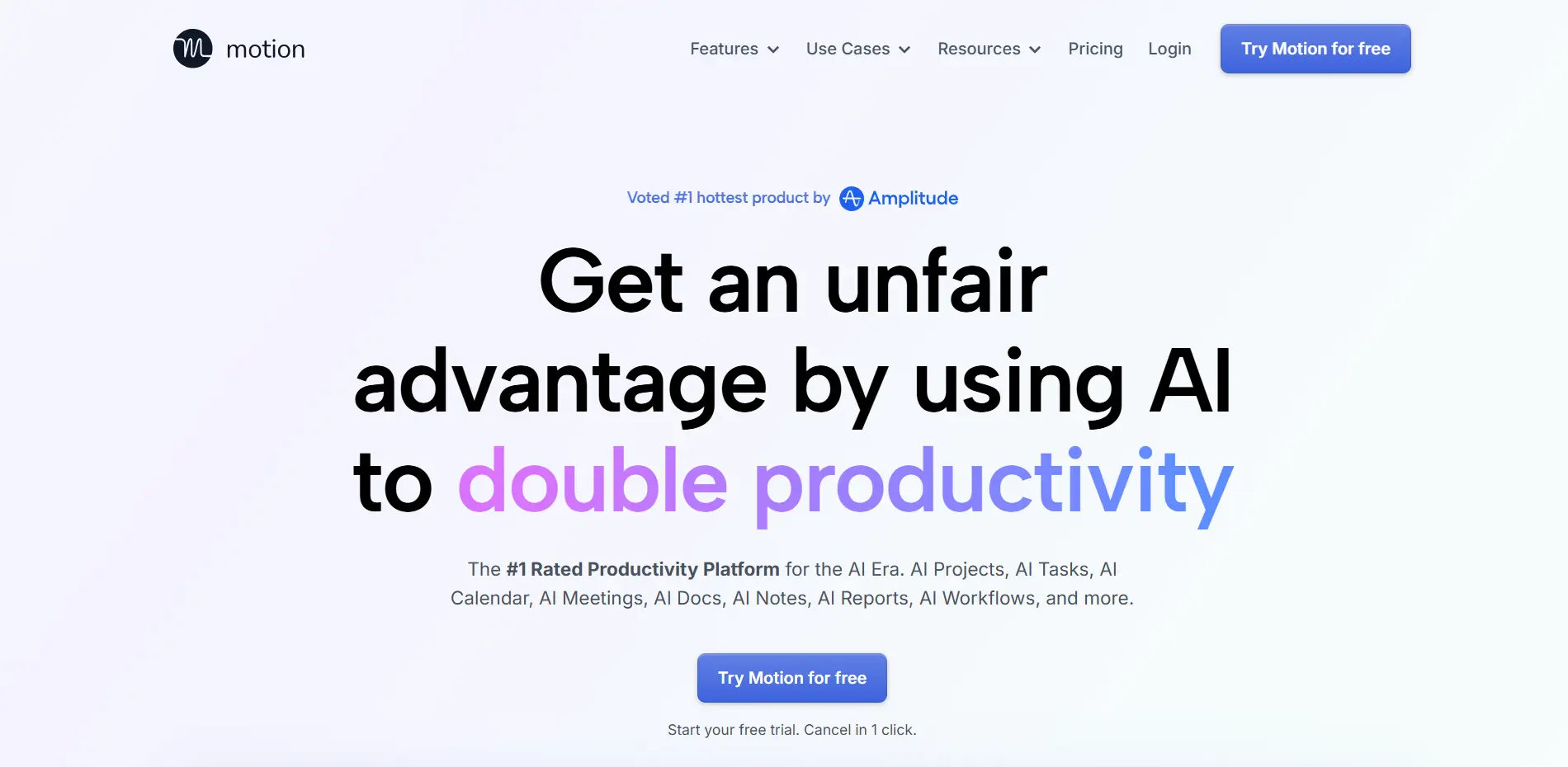
Motion's defining feature is automatic task scheduling—you add tasks with deadlines and duration estimates, and Motion's AI automatically schedules them in your calendar, finding optimal times based on your existing commitments, task priorities, and deadline urgency. You wake up each day with a complete schedule telling you exactly when to work on each task.
This automation eliminates the mental overhead of manual scheduling. Instead of spending time each morning or evening planning when you'll work on tasks, you simply follow Motion's schedule. For people managing numerous tasks across multiple projects, this offloading of scheduling decisions reclaims significant cognitive resources.
The scheduling considers task dependencies, deadline criticality, your availability patterns, and existing calendar commitments to construct schedules that maximize the likelihood of completing critical work on time. The AI handles complexity that would overwhelm manual scheduling attempts.
Motion's most impressive capability is real-time rescheduling—when meetings run long, new urgent tasks appear, or priorities shift, Motion instantly reshuffles your entire schedule to maintain feasibility. The adaptation happens continuously throughout the day as circumstances change.
This dynamic adjustment eliminates the common problem where your morning plan becomes obsolete by noon due to unexpected developments. Motion maintains a realistic, achievable schedule despite constant disruption, reducing the stress of feeling constantly behind schedule.
For professionals in fast-paced environments where priorities shift frequently—startup founders, executives, project managers—this automatic adaptation prevents schedule chaos while ensuring critical work still gets completed despite constant change.
Motion integrates task management with calendar management, functioning as both project management system and scheduling tool. You can organize tasks into projects, set dependencies between tasks, assign work to team members (on team plans), and track progress—all while Motion handles scheduling automatically.
This integration eliminates the disconnect between project planning tools and calendar systems. Instead of planning work in one tool then manually scheduling it in another, everything happens in unified system where planning automatically translates to scheduling.
For individuals and teams managing complex projects with interdependent tasks, Motion provides the structure to organize work plus the intelligence to schedule it optimally—a comprehensive solution rather than just a smart calendar.
Motion includes meeting booking functionality allowing others to schedule time with you while respecting your task schedule. The system only offers availability that doesn't conflict with automatically scheduled task blocks, preventing meetings from consuming all available time.
This intelligent booking prevents the common problem where generous availability leads to meeting-filled calendars with no time remaining for actual work. Motion protects task time while still enabling appropriate meeting coordination.
Motion encourages identifying three most important tasks daily—your "Big Three" that must be completed regardless of other activities. The AI prioritizes scheduling these critical tasks in your best available time blocks, ensuring important work doesn't get perpetually deferred for urgent but less important activities.
This focus system helps users distinguish between truly important work and merely urgent distractions, reducing the tendency to spend days feeling busy while making little progress on what actually matters.
Motion's automatic scheduling requires trusting AI judgment about when you should work on tasks. Users uncomfortable following AI-dictated schedules or preferring personal control over time allocation find Motion's approach frustrating rather than liberating.
The system works best when you commit to following its schedule rather than constantly overriding decisions. Frequent manual adjustments defeat the purpose and reduce AI effectiveness since the system learns from your adherence.
Effective Motion use requires upfront investment—adding all tasks, estimating durations accurately, setting appropriate deadlines, configuring preferences. Users must learn to work within Motion's paradigm rather than just dropping it into existing workflows.
This setup burden means Motion isn't immediately productive. You invest time teaching the system about your work before reaping benefits, creating friction for users wanting instant value without configuration effort.
Motion is expensive at $34/month ($19/month on annual plans), making it one of the pricier productivity tools. For individuals or small teams on tight budgets, this cost is hard to justify compared to free or cheaper alternatives.
The value proposition assumes saved time and completed tasks justify subscription costs—true for professionals with valuable time and complex task loads, but questionable for students, casual users, or those with simpler scheduling needs.
While Motion schedules tasks efficiently, it doesn't emphasize work-life boundaries or habit protection the way Reclaim does. The focus is task completion rather than balanced living—Motion will schedule work time but won't actively defend personal commitments or healthy habits.
Users needing strong work-life boundaries must configure these manually rather than having the system prioritize balance inherently. Motion optimizes for getting work done, not necessarily for sustainable pace or personal well-being.
Complex Task Management: Individuals managing numerous tasks across multiple projects with competing deadlines benefit from automatic scheduling intelligence.
Deadline-Driven Work: Professionals where missing deadlines has serious consequences need Motion's optimization ensuring critical work gets completed on time.
Project-Based Teams: Teams coordinating work across shared projects leverage Motion's project management and team scheduling capabilities.
Startup Founders and Executives: Leadership roles with diverse responsibilities and frequent priority shifts benefit from continuous dynamic rescheduling.
Users Wanting Complete Automation: People preferring AI to handle all scheduling decisions rather than manually organizing time.
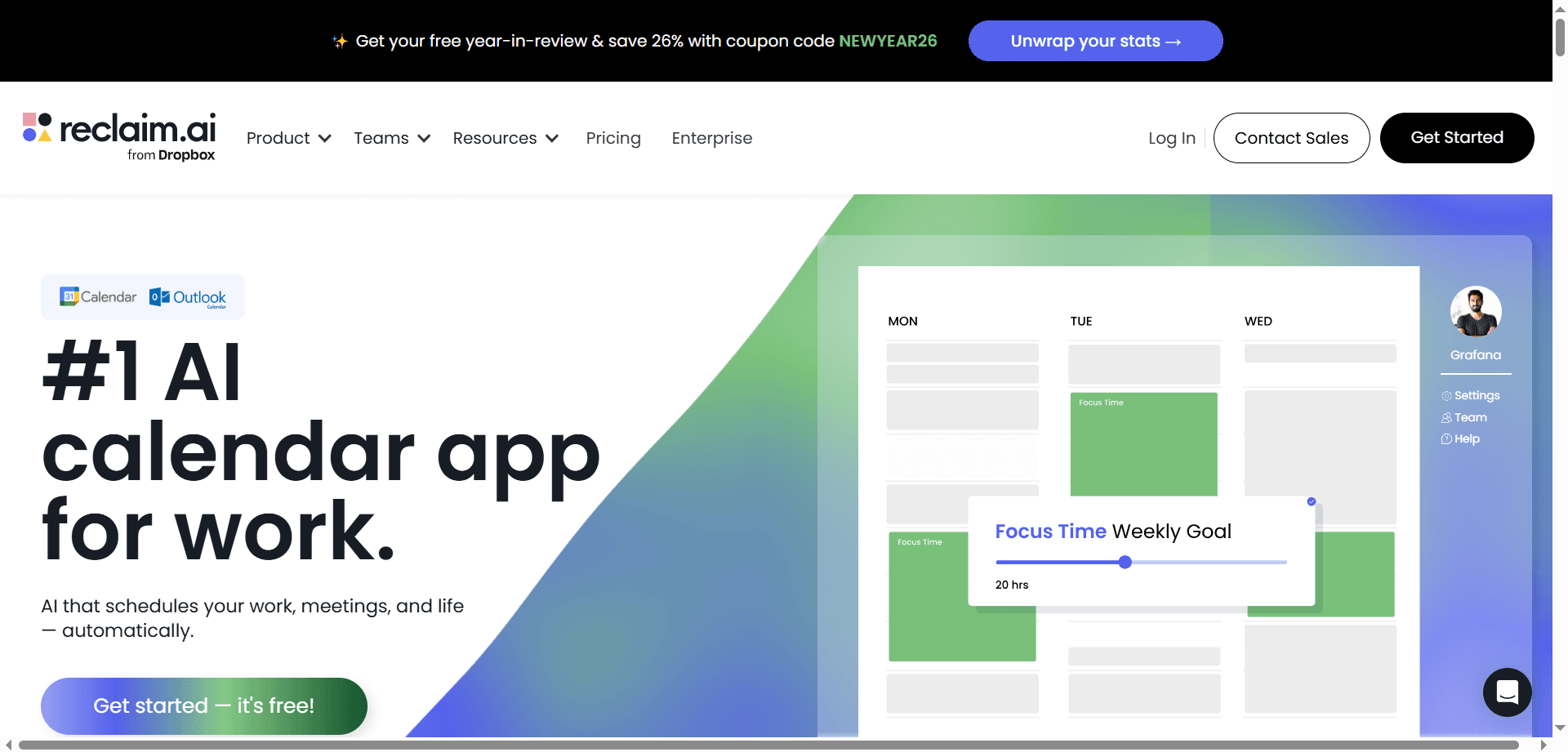
Reclaim's defining feature is automatically defending time for priorities, habits, and personal commitments. You teach Reclaim about recurring needs—morning focus time, exercise, lunch breaks, learning time, family commitments—and the AI automatically schedules and protects these blocks, moving them when conflicts arise rather than allowing them to disappear.
This automatic boundary maintenance is transformative for professionals struggling with work-life balance. Instead of personal time vanishing when work gets busy, Reclaim treats it as non-negotiable, automatically rescheduling around obligations while preserving the time you've designated important.
For people who intellectually commit to habits and boundaries but struggle maintaining them under pressure, Reclaim provides the structural support that makes good intentions reality rather than perpetual aspirations.
Reclaim's "Personal Buffer" technology synchronizes work and personal calendars intelligently—showing colleagues appropriate availability without exposing personal commitment details. Personal time appears as busy blocks in work calendar, preventing meeting conflicts while maintaining privacy.
This synchronization solves the common problem where work meetings get scheduled over personal commitments because colleagues only see work calendar availability. Reclaim maintains boundaries automatically while providing necessary visibility for effective team coordination.
For remote workers whose home and office occupy the same space, Reclaim provides the boundary structure that separate locations previously enforced naturally. Work expands to fill available time, but Reclaim ensures it doesn't consume time needed for health, relationships, and rest.
Reclaim optimizes meeting scheduling across teams, finding times that work for all participants while respecting everyone's defended time blocks and working hours. The system prevents meetings from consuming productive focus time by preferring less optimal time slots for meetings over fragmentation of deep work periods.
The meeting coordination respects time zone differences and working hour preferences automatically, reducing the coordination overhead that distributed teams experience when manually finding meeting times.
For teams coordinating across time zones or with flexible schedules, Reclaim's intelligent meeting scheduling reduces the "calendar tetris" that wastes time while often producing suboptimal solutions.
Reclaim's Smart 1:1s feature automatically schedules recurring one-on-one meetings with team members, finding optimal times that work for both participants and rescheduling automatically when conflicts arise. The meetings maintain regular cadence without manual coordination overhead.
For managers with numerous direct reports or team members needing regular check-ins, this automatic 1:1 scheduling ensures important conversations happen consistently without administrative burden of manual scheduling and rescheduling.
Reclaim automatically defends focus time blocks for deep work, finding optimal periods in your calendar for uninterrupted concentration. The system prefers morning hours when most people are most productive and defends against meeting fragmentation of these valuable blocks.
For knowledge workers where deep focus drives value creation—developers, writers, analysts, designers—this automatic focus time protection prevents the calendar fragmentation that makes focused work impossible.
The focus time blocks appear as busy in your calendar, preventing others from booking meetings during your most productive hours while remaining flexible enough to move when genuinely necessary meetings require that time.
Reclaim focuses exclusively on calendar optimization without integrated task management. You use separate task tools (Todoist, Asana, ClickUp, etc.) and Reclaim handles scheduling time to work on tasks, but it doesn't provide project management capabilities or automatic task scheduling the way Motion does.
For users wanting comprehensive task-and-calendar integration, this separation requires maintaining multiple tools rather than having unified system. Reclaim optimizes your calendar but doesn't tell you specifically what to work on during defended time blocks.
While Reclaim integrates with some task managers (via Tasks feature), the task management is basic compared to dedicated project management tools or Motion's integrated system. Power users still need separate comprehensive task management systems.
This modularity is philosophically intentional—Reclaim does calendar optimization excellently while leaving task management to specialized tools. But it means more tools in your stack rather than all-in-one solution.
Reclaim's Tasks feature schedules task time blocks but doesn't provide the granular automatic scheduling of specific tasks that Motion offers. You get defended time to work on tasks, but determining which specific task to work on during that time remains your decision.
For users wanting AI to completely handle scheduling decisions minute-by-minute, Reclaim's approach provides less directive guidance than Motion's automatic task scheduling.
Advanced team coordination features like team-wide habits, buffer time policies, and scheduling link customization require Business or Enterprise plans. Free and Starter tiers focus on individual optimization without comprehensive team capabilities.
Work-Life Balance Focus: Professionals struggling to maintain boundaries between work and personal life benefit from automatic personal time protection.
Habit Maintenance: People committed to regular habits (exercise, learning, creative time) but struggling to maintain them under work pressure.
Remote Workers: Distributed teams needing smart meeting coordination across time zones with automatic availability optimization.
Managers with Many 1:1s: Leaders maintaining regular check-ins with team members benefit from automatic 1:1 scheduling and rescheduling.
Focus-Dependent Work: Knowledge workers where deep focus drives value need automatic protection of concentration time.
Motion's sophisticated automatic task scheduling—determining exactly when you'll work on each task based on deadlines, priorities, and availability—is its core strength. Reclaim schedules time blocks for task work but doesn't automatically assign specific tasks to specific time slots. For users wanting AI to completely handle task scheduling, Motion is essential.
Reclaim's focus on defending personal time, habits, and work-life boundaries makes it superior for users prioritizing balanced living. Motion optimizes for task completion without inherent emphasis on personal time protection. For professionals struggling to maintain healthy boundaries, Reclaim's philosophy aligns better with balanced productivity.
Reclaim's Smart 1:1s, team meeting optimization, and cross-timezone scheduling provide superior team coordination capabilities. Motion handles team task management well but focuses less on optimizing team meeting coordination. For distributed teams requiring sophisticated meeting optimization, Reclaim excels.
Motion integrates comprehensive project management with calendar scheduling—tasks, projects, dependencies, team assignments. Reclaim focuses purely on calendar optimization without project management capabilities. For users wanting unified project-and-calendar system, Motion provides integration Reclaim doesn't attempt.
Reclaim's dedicated focus time features intelligently defend deep work blocks, preventing meeting fragmentation of productive time. Motion schedules task time but doesn't specifically optimize for protecting focus blocks from interruption. For knowledge workers needing defended concentration time, Reclaim's focus protection is superior.
Motion's continuous real-time rescheduling adapts to changing priorities and unexpected events more dynamically than Reclaim. The AI constantly optimizes entire schedule rather than just defending specific time blocks. For fast-paced environments with frequent priority shifts, Motion's adaptation is more sophisticated.
Reclaim is more immediately productive with less setup investment. You configure habits and priorities relatively quickly and start getting value. Motion requires adding all tasks, estimating durations, and learning to work within its paradigm—more upfront investment before realizing benefits. For users wanting quick value, Reclaim is more accessible.
Reclaim offers meaningful free tier with habit scheduling, focus time, and personal calendar sync—genuinely useful for individual users. Motion has no free tier, only paid subscriptions. Budget-conscious users get substantial value from Reclaim's free plan while Motion requires payment for any access.
Individual Plan ($34/month, $19/month annual): Complete access to automatic task scheduling, calendar management, meeting booking, project management. No free tier or trial beyond limited demo period.
Team Plan ($20/user/month annual): Everything in Individual plus team collaboration, shared projects, team task assignment, collective deadline management.
Value Proposition: Premium pricing reflects comprehensive integration of task and calendar management. Justifiable for professionals with valuable time and complex task loads. Expensive for casual users or those with simpler needs.
Annual Commitment: Significant savings with annual billing ($228/year vs $408/year monthly) but requires upfront commitment before fully understanding if Motion suits your workflow.
Free Plan: Unlimited habits, focus time, calendar sync, basic scheduling links, buffer time. Genuinely functional for individual users with core needs.
Starter Plan ($8/month, $10/month monthly): Priority scheduling, advanced habits, Smart 1:1s, unlimited scheduling links, calendar integrations.
Business Plan ($12/user/month, $15/user/month monthly): Team habits, scheduling policies, advanced meeting optimization, priority support, admin controls.
Enterprise Plan (Custom): Advanced security, SSO, dedicated support, unlimited everything, custom integrations, SLA guarantees.
Value Proposition: Affordable pricing makes calendar optimization accessible. Free tier provides substantial value for individual users. Paid tiers reasonably priced for capability provided. Budget-friendly compared to Motion.
• Reclaim: $0 (Free), $96 (Starter), $144 (Business)
• Motion: $228 (Individual)
Reclaim is dramatically more affordable, particularly the free tier providing meaningful functionality versus Motion requiring payment for any access. Even Reclaim's paid tiers cost less than half of Motion's individual plan.
• Reclaim Business: $720/year ($144 per user × 5)
• Motion Team: $1,200/year ($240 per user × 5)
Reclaim provides 40% cost savings for teams while delivering sophisticated calendar optimization. Motion's premium justification requires valuing integrated task management highly enough to pay significant price premium.
Individuals juggling multiple projects with numerous interdependent tasks benefit from Motion's automatic task scheduling and project management integration. The AI handles complexity that would overwhelm manual scheduling while ensuring critical deadlines are met. The premium pricing is justified by time saved and stress reduced.
Professionals struggling to maintain healthy boundaries between work and personal life need Reclaim's automatic personal time defense. The system ensures exercise, family time, and personal commitments survive work pressure rather than vanishing when calendars get busy. For sustainable productivity over maximizing task throughput, Reclaim's philosophy aligns better.
Remote teams coordinating across time zones benefit from Reclaim's intelligent meeting scheduling that respects everyone's working hours and defended time. Smart 1:1s ensure regular check-ins happen without manual coordination overhead. For teams where meeting coordination is primary pain point, Reclaim provides superior solutions.
Leadership roles with diverse responsibilities and constantly shifting priorities benefit from Motion's continuous dynamic rescheduling. The AI adapts to changing circumstances throughout the day, maintaining realistic schedules despite chaos. For executives where task completion under uncertainty is critical, Motion's adaptation excels.
Developers, writers, designers, and analysts where deep focus drives value need Reclaim's automatic focus time protection. The system prevents calendar fragmentation that makes concentrated work impossible, defending productive hours from meeting encroachment. For focus-dependent work, Reclaim's explicit focus time features are essential.
Users with tight budgets get meaningful functionality from Reclaim's free tier—habit scheduling, focus time, calendar sync. Motion requires payment for any access at premium pricing. Students, early-career professionals, or anyone cost-sensitive should start with Reclaim's free tier and evaluate if paid tools become justified as careers progress.
Freelancers managing multiple client projects with varied deadlines benefit from Motion's project management and automatic task scheduling. The system ensures client work gets completed on time while balancing competing priorities. For professional services where missed deadlines damage reputation, Motion's deadline optimization is valuable.
Some sophisticated users employ both tools strategically, though this requires accepting workflow complexity and doubled subscription costs.
• Task and project management with automatic scheduling
• Deadline-critical work requiring optimization
• Complex projects with dependencies
• Team task coordination (if applicable)
• Personal time and habit protection
• Work-life boundary maintenance
• Focus time defense
• Team meeting coordination
This division leverages each tool's core strength—Motion for task execution optimization, Reclaim for balanced living and meeting coordination. However, it requires managing two systems and accepting conflicts between their scheduling decisions.
Combined Annual Cost: $228 (Motion) + $96-144 (Reclaim Starter/Business) = $324-372/year
Justification: Only worthwhile if you genuinely need both sophisticated task scheduling AND aggressive personal time defense. Most users find one tool sufficient—choose based on primary pain point rather than trying to solve all scheduling challenges with multiple expensive tools.
Simpler Alternative: Choose the tool matching your primary need, then use free/basic tools for secondary needs. For example, Motion + Google Calendar for personal time, or Reclaim + free task manager like Todoist.
Akiflow consolidates tasks from multiple sources (Slack, Gmail, Asana, etc.) into unified view with time blocking capabilities. It's less automated than Motion or Reclaim but provides excellent manual control for users wanting consolidation without full AI automation. Price point ($19-34/month) sits between Reclaim and Motion.
Clockwise focuses on team calendar optimization and meeting scheduling similar to Reclaim but with different feature emphasis. Free tier is generous. Worth comparing against Reclaim if team meeting coordination is primary need.
Sunsama provides guided daily planning rituals with task-calendar integration. Less automated than Motion but more structured than simple task managers. Appeals to users wanting planning guidance without full automation. ($20/month)
The free/budget combination of Todoist for task management and Google Calendar for scheduling provides basic functionality without AI optimization. Requires more manual work but costs nothing and may suffice for users with simpler needs not justifying premium tools.
TimeHero provides automatic task scheduling similar to Motion but with different feature set and pricing. Worth evaluating as Motion alternative if automatic task scheduling appeals but Motion's specific approach doesn't fit your needs.
Calendar Sync: Google Calendar, Outlook, iCloud
Video Conferencing: Zoom, Google Meet automatically added to meetings
Task Import: Limited direct task manager integration (Motion wants to be your task system)
API Access: Available for custom integrations
Browser Extension: Quick task capture from anywhere
Motion's integration philosophy is building comprehensive platform rather than connecting many external tools—it wants to replace your task manager and optimize your calendar rather than integrating with external task systems.
Calendar Sync: Google Calendar, Outlook (deep two-way sync)
Task Managers: Asana, ClickUp, Todoist, Linear, Jira (task time scheduling)
Scheduling Links: Alternative to Calendly with smart availability
Slack: Notifications and quick actions
Video Conferencing: Automatic Zoom, Meet, Teams links
API Access: Build custom integrations and automation
Reclaim's integration philosophy embraces external tool ecosystems—it optimizes calendars while connecting to your existing task management, communication, and workflow tools rather than replacing them.
Future scheduling tools will predict needs before you articulate them—anticipating when you'll need focus time based on project deadlines, suggesting calendar adjustments before conflicts become problems, and proactively protecting time for priorities without explicit configuration.
AI scheduling will coordinate across entire productivity stacks—understanding relationships between tasks, emails, messages, documents, and calendar events to provide holistic scheduling optimization rather than just calendar management.
Team scheduling AI will understand collective productivity patterns—learning when teams work best together, optimizing for collective output rather than individual schedules, and coordinating across distributed teams with greater sophistication.
Scheduling tools will integrate wellness data—sleep patterns, stress indicators, energy levels—to optimize schedules for sustainable productivity rather than just maximum throughput. The future of productive scheduling is healthy scheduling.
Scheduling will become increasingly invisible—operating continuously in background, making optimal decisions automatically, requiring human input only for major priorities or decisions requiring judgment. The future is trusting AI to handle scheduling entirely while humans focus on execution and strategy.
The choice between Motion and Reclaim depends on your primary scheduling challenge and productivity philosophy. Motion excels for individuals managing complex task loads who want AI to automatically schedule their entire workday, optimizing for deadline achievement and task completion. Reclaim excels for professionals prioritizing work-life balance who need AI to defend time for priorities, habits, and personal commitments while optimizing team coordination.
Most users don't need both—choose based on your dominant pain point. If you struggle knowing when you'll complete all your tasks and frequently miss deadlines despite hard work, Motion's automatic task scheduling solves your core problem. If you struggle maintaining boundaries as meetings and work consume your calendar, leaving no time for focused work or personal life, Reclaim's time defense addresses your primary challenge.
Budget is also a major consideration. Reclaim's free tier provides meaningful functionality making it accessible for students, early-career professionals, or anyone cost-sensitive. Motion's premium pricing requires confident ROI calculation—will saved time and improved task completion justify $228-408 annually? For professionals with valuable time and complex responsibilities, yes. For others, Reclaim's affordability makes it the practical choice.
Consider starting with Reclaim's free tier to experience AI-powered calendar optimization without financial commitment. If you discover you need more sophisticated automatic task scheduling than Reclaim provides, then evaluate whether Motion's integrated approach justifies the premium investment. Many users find Reclaim sufficient when combined with separate task managers, avoiding Motion's premium pricing while achieving effective scheduling.
Remember that scheduling tools are productivity multipliers, not magic solutions. Even perfect schedules require execution discipline—following AI recommendations, completing scheduled tasks, respecting defended time blocks. The best scheduling tool is the one you'll consistently use in service of your goals, whether that's Motion's comprehensive automation, Reclaim's balanced approach, or simpler alternatives matching your specific needs and constraints.
Discover the essential AI tools dominating 2026 that will transform your productivity. From ChatGPT to Cursor, learn which tools will help you work faster and smarter.

Discover the top AI tools revolutionizing content creation in 2026. From video editing to social media management, learn which tools will transform your creative workflow.

Discover how modern professionals are transforming from manual app-switching to AI-powered integrated orchestration. Learn the tools and strategies that eliminate workflow friction and multiply daily productivity.

Discover how the software development landscape has transformed from AI-assisted coding to Agentic Engineering. Learn about the best AI tools developers use in 2026 to manage fleets of AI agents for autonomous development.