AI Tools You Can't Ignore in 2026 If You Want to Work Faster
Discover the essential AI tools dominating 2026 that will transform your productivity. From ChatGPT to Cursor, learn which tools will help you work faster and smarter.

In 2026, two AI writing assistants dominate different territories: Grammarly, the comprehensive writing enhancement platform focused on correctness, clarity, and communication effectiveness, and QuillBot, the specialized paraphrasing and rewording tool that helps writers express ideas differently. While both improve writing quality, they serve fundamentally different primary purposes and ideal use cases.
This comparison reveals which tool genuinely serves your writing needs. Whether you're crafting professional emails, writing academic papers, creating content, or simply improving your everyday writing, understanding each platform's strengths, limitations, and optimal use cases helps you choose the right tool—or strategic combination of both—for your writing workflow.
Grammarly excels as a comprehensive writing assistant for correctness, clarity, and professional communication. QuillBot specializes in paraphrasing and rewording, making it ideal for avoiding repetition, simplifying complex text, and exploring alternative phrasings.
The most important insight when comparing Grammarly and QuillBot is recognizing they were designed to solve different writing problems, with each tool's AI optimized for distinct purposes.
Grammarly functions as your comprehensive writing assistant—identifying grammar mistakes, spelling errors, punctuation issues, and style problems while suggesting improvements for clarity, tone, and engagement. It's designed to make your existing writing better by catching errors and enhancing effectiveness. You write naturally, and Grammarly ensures your message is communicated correctly and effectively.
QuillBot specializes in paraphrasing and rewording—taking existing text and expressing it differently while maintaining meaning. It's designed for situations where you need alternative phrasings: avoiding repetitive language, simplifying complex sentences, adapting tone, or finding better ways to express ideas. You input text, and QuillBot provides rewritten versions exploring different word choices and sentence structures.
This fundamental distinction means the tools aren't in direct competition despite both being "AI writing assistants." You choose based on whether your primary need is improving correctness and clarity of your existing writing or finding alternative ways to express ideas.
Many writers use both strategically—QuillBot for paraphrasing and finding alternative phrasings, then Grammarly for ensuring the rewritten text is grammatically correct and stylistically polished. The tools complement rather than compete when you understand their distinct purposes.
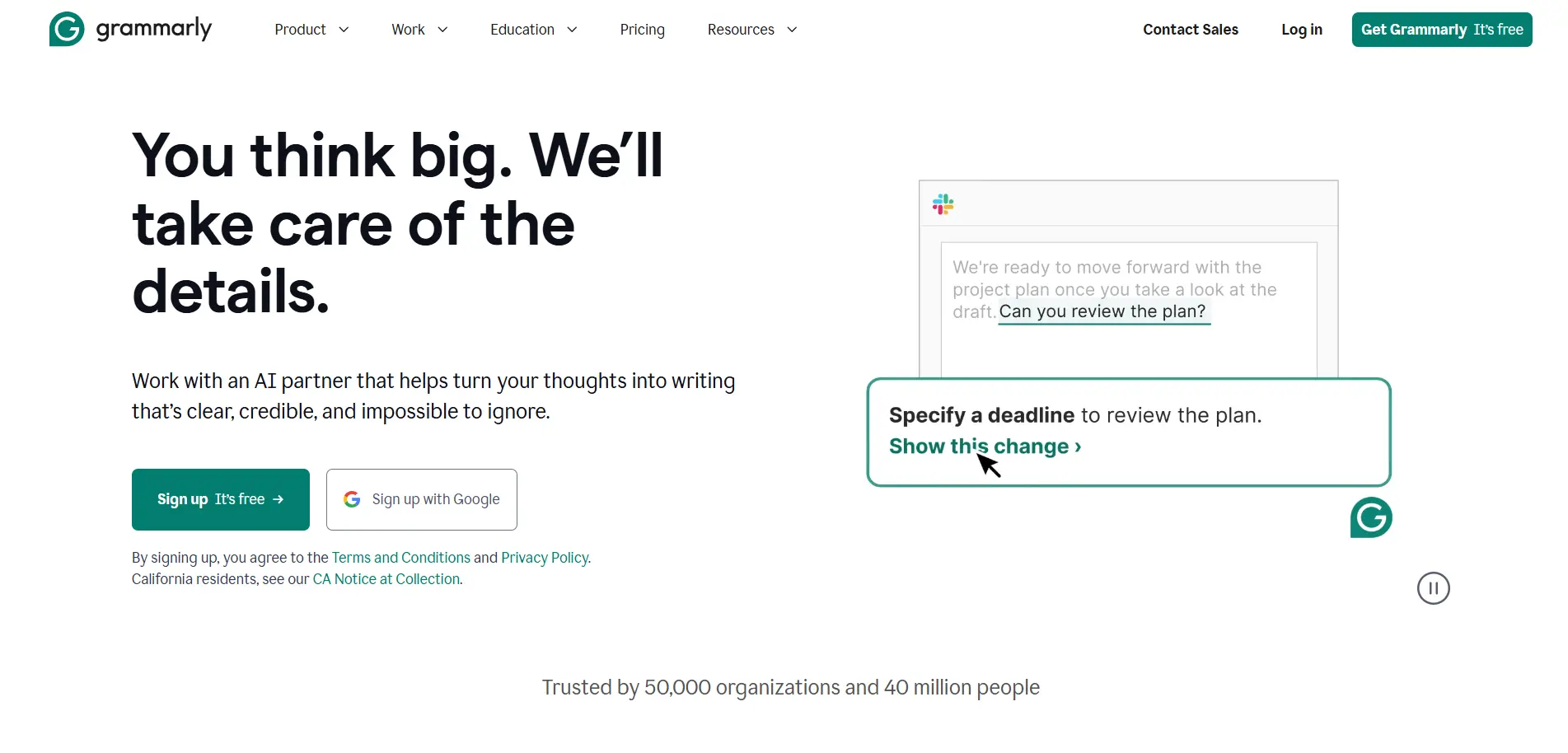
Grammarly's grammar checking is industry-leading, catching not just obvious errors but sophisticated mistakes involving subject-verb agreement, comma placement, modifier usage, and complex grammatical constructions. The AI understands context, distinguishing between homophones based on meaning rather than just pattern matching.
The real-time correction as you type provides immediate feedback, allowing you to learn and improve rather than discovering errors only after writing is complete. This educational aspect helps writers develop better habits over time rather than remaining dependent on the tool.
Beyond basic grammar, Grammarly identifies subtle style issues—wordiness, passive voice, unclear antecedents, awkward phrasing—that technically correct writing might still suffer from. This comprehensive analysis elevates writing from merely correct to genuinely effective.
Grammarly's tone detector analyzes how your writing will likely be perceived—whether it sounds confident, friendly, formal, urgent, or hesitant. For professional communication where tone misinterpretation causes problems, this awareness prevents unintended impressions.
The 2026 version includes strategic communication suggestions—identifying when messages sound "too passive for a CEO update" or "too casual for client communication" and offering rewrites calibrated to audience and context. This goes beyond grammar to genuine communication strategy.
For professionals whose success depends on effective written communication—essentially everyone in knowledge work—this tone guidance helps avoid the common failures where messages are misinterpreted due to tone rather than content issues.
Grammarly identifies unclear sentences, overly complex constructions, and confusing phrasing, suggesting clearer alternatives. The readability scoring helps ensure writing is appropriate for target audiences—academic writing can be complex, but business communications should prioritize clarity.
The clarity suggestions often involve restructuring sentences for better comprehension rather than just fixing errors. This transforms muddy thinking into clear expression, helping writers communicate ideas more effectively.
Premium Grammarly includes plagiarism detection comparing your text against billions of web pages and academic papers. For students, academics, and professionals where originality matters, this catches unintentional similarities and prompts proper citation.
The citation suggestions help maintain academic integrity and professional standards, particularly valuable in educational and research contexts where plagiarism has serious consequences.
Grammarly works everywhere you write—browser extension for web apps, desktop apps for Word and other programs, mobile keyboard for phones and tablets, email integration, and web editor. This ubiquity means consistent writing assistance regardless of where you're working.
The seamless integration into existing workflows reduces friction—you don't need to copy-paste into separate tools or change your writing habits. Grammarly operates in the background, providing assistance without disrupting your process.
While Grammarly suggests corrections and improvements, it doesn't excel at wholesale rewriting or paraphrasing. If you need to express the same idea in completely different words or simplify complex text dramatically, Grammarly's suggestions are incremental rather than transformative.
For writers seeking alternative phrasings or trying to avoid repetitive language across documents, Grammarly's rewriting capabilities feel limited compared to specialized paraphrasing tools.
The free version provides basic grammar and spelling checking, but advanced features—clarity suggestions, tone detection, vocabulary enhancement, plagiarism checking—require premium subscriptions. Heavy users of advanced features must pay to access capabilities that define Grammarly's value proposition.
Grammarly sometimes suggests changes that technically improve writing but sacrifice personal voice or stylistic choices. Creative writers, poets, or authors with distinctive styles may find Grammarly's suggestions homogenizing rather than enhancing.
The tool optimizes for conventional correctness and clarity, which doesn't always align with artistic or deliberately unconventional writing. You need judgment to accept helpful suggestions while rejecting those that diminish authentic voice.
Despite sophisticated AI, Grammarly occasionally misunderstands context and suggests inappropriate changes—flagging technically correct constructions as errors or missing genuine mistakes that require broader document understanding. While improving continuously, context awareness remains imperfect.
Professional Communication: Business emails, reports, proposals, presentations where correctness and professional tone are essential.
Academic Writing: Essays, research papers, dissertations where grammar correctness, clarity, and plagiarism detection matter.
Content Creation: Blog posts, articles, marketing copy where engaging, error-free writing drives results.
Non-Native English Speakers: Writers learning English benefit from comprehensive feedback that improves language skills over time.
Anyone Writing Professionally: If your career depends on written communication quality, Grammarly's comprehensive checking justifies the investment.
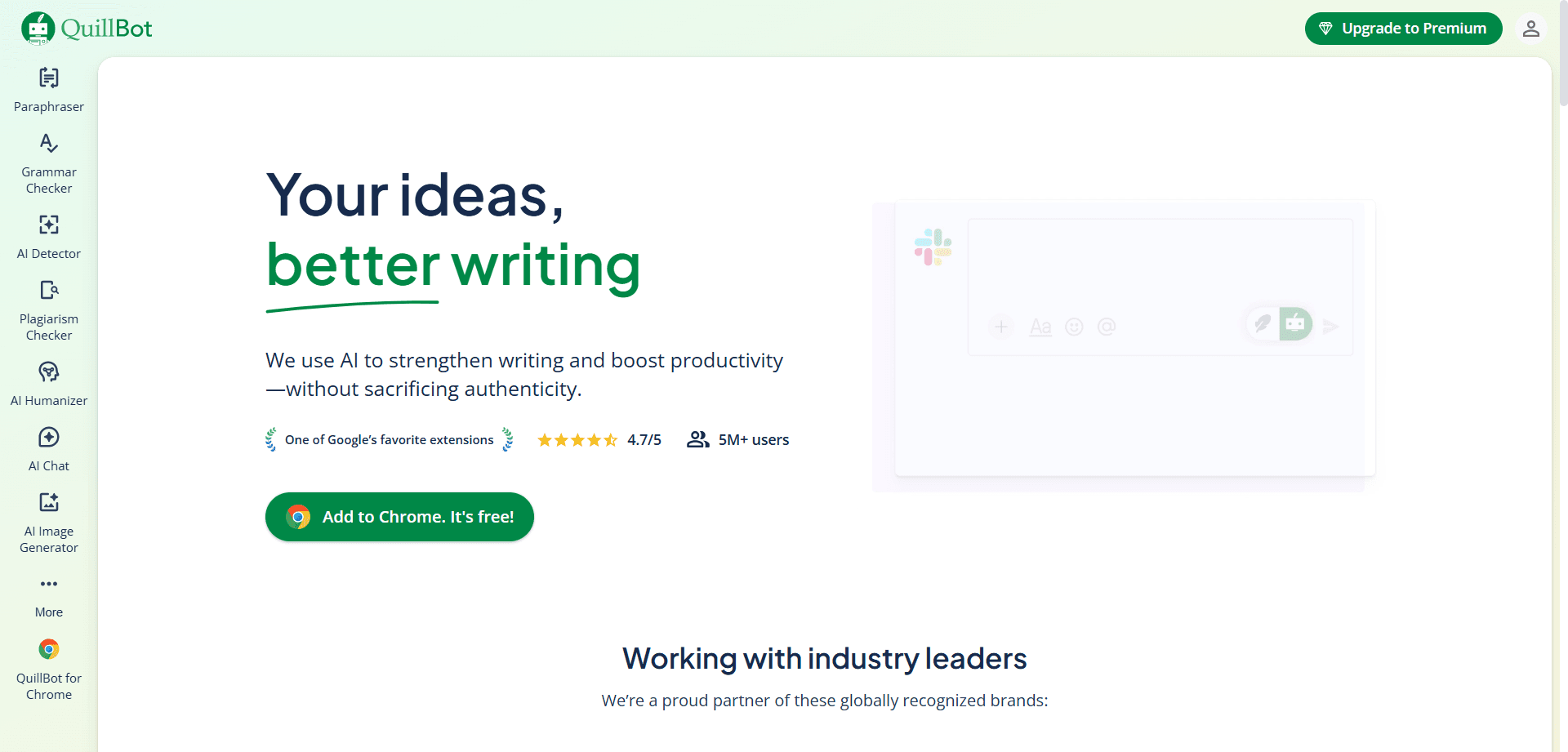
QuillBot's defining feature is sophisticated paraphrasing—taking existing text and rewriting it with different words and sentence structures while maintaining original meaning. This is invaluable when you need to express ideas differently: avoiding repetitive language, simplifying complex text, or finding alternative phrasings that better communicate your intent.
The multiple paraphrasing modes (Standard, Fluency, Formal, Simple, Creative, Expand, Shorten) provide different rewriting approaches for varied needs. Standard mode maintains balance between originality and meaning preservation. Formal mode elevates casual writing to professional tone. Simple mode makes complex text accessible. Each mode serves distinct purposes.
For students paraphrasing research sources, content creators avoiding repetitive language, or anyone struggling to express ideas differently, QuillBot's paraphrasing capability is transformative. It suggests alternatives you might not have considered, breaking writer's block around finding different phrasings.
The synonym slider controls how aggressively QuillBot changes wording—low settings make minimal changes maintaining original phrasing where possible, while high settings rewrite more extensively. This control allows calibrating rewriting intensity to specific needs.
You can freeze specific words or phrases that shouldn't be changed—technical terms, proper nouns, key concepts—while QuillBot rewrites surrounding text. This preserves critical content while varying everything else, providing flexibility that blind paraphrasing would destroy.
QuillBot's summarizer condenses lengthy text into key points, available in paragraph or bullet point format. For students reading research papers, professionals reviewing reports, or anyone processing lengthy documents, this extraction of essential information saves substantial time.
The summarization quality is solid for straightforward informational text, though it can struggle with nuanced arguments or complex analysis requiring interpretation rather than just condensation.
QuillBot includes integrated grammar checking ensuring paraphrased text remains grammatically correct. While not as comprehensive as dedicated grammar checkers, it catches obvious errors and maintains writing quality through the rewriting process.
The combination of paraphrasing and grammar checking in one interface streamlines the workflow of rewriting text and ensuring correctness without switching between tools.
The built-in citation generator creates properly formatted citations in APA, MLA, Chicago, and other styles. For academic writers managing references, this integrated tool eliminates switching to separate citation managers.
While not as feature-rich as dedicated citation managers like Zotero or Mendeley, QuillBot's citation tool handles common citation needs directly within the writing workflow.
While QuillBot includes grammar checking, it's not as comprehensive or sophisticated as Grammarly's. The tool catches obvious errors but misses subtle grammar issues, style problems, and nuanced tone considerations that comprehensive writing assistants identify.
For writers needing thorough grammar checking beyond basic error correction, QuillBot's grammar features feel insufficient compared to dedicated grammar checkers.
Aggressive paraphrasing sometimes changes meaning subtly, introducing inaccuracies or shifting emphasis unintentionally. Users must carefully review paraphrased text to ensure meaning preservation, especially with complex or technical content.
The tool is powerful but not infallible—it's a suggestion engine requiring human judgment rather than a perfect paraphrasing solution you can trust blindly.
QuillBot processes text somewhat mechanically, sometimes producing grammatically correct but awkward or unnatural phrasings. The paraphrased output may lack the flow and coherence of human-written text, requiring editing to sound natural.
For professional writing where natural flow matters, QuillBot's output often needs human refinement rather than being usable as-is.
The free version limits paraphrasing to 125 words at a time with limited mode access, making it insufficient for anything beyond evaluation. Serious users need premium subscriptions to access full functionality.
QuillBot shines when rewriting existing text but provides limited assistance for creating original content from scratch. If you need help generating ideas, structuring arguments, or drafting initial content, QuillBot's paraphrasing focus offers little support.
Academic Paraphrasing: Students paraphrasing research sources while maintaining academic integrity and avoiding plagiarism.
Content Repurposing: Content creators adapting existing content for different platforms or audiences while varying language.
Simplifying Complex Text: Communicators making technical or academic writing accessible to general audiences.
Avoiding Repetition: Writers varying language across documents to avoid repetitive phrasing.
Overcoming Writer's Block: Authors struggling to phrase ideas differently benefit from AI-suggested alternatives.
Grammarly's grammar checking is comprehensive and sophisticated, catching subtle errors and complex grammatical issues. QuillBot includes basic grammar checking but it's secondary to its paraphrasing focus and less thorough than dedicated grammar checkers. For writers prioritizing correctness, Grammarly is essential.
QuillBot's specialized paraphrasing capabilities far exceed Grammarly's. The multiple modes, synonym control, and sophisticated rewriting make it the clear choice for anyone needing to express ideas differently or avoid repetitive language. Grammarly offers some rewriting suggestions but they're incremental rather than transformative.
Grammarly's tone detection and style suggestions help calibrate writing to audience and context. The strategic communication guidance goes beyond grammar to genuine communication effectiveness. QuillBot's formal mode adjusts tone somewhat, but lacks Grammarly's sophisticated analysis and strategic suggestions.
Grammarly identifies unclear sentences and suggests structural improvements for better comprehension. QuillBot's Simple mode simplifies complex text, but Grammarly's clarity analysis is more nuanced and strategic. For making writing clearer to readers, Grammarly provides superior guidance.
Grammarly assists throughout the writing process from first draft to final polish. QuillBot focuses on rewriting existing text and provides limited support for original content creation. For writers drafting new content rather than paraphrasing existing material, Grammarly is more helpful.
Grammarly's plagiarism detection and comprehensive grammar checking support academic writing integrity and correctness. QuillBot's paraphrasing and citation tools help incorporate sources properly and avoid plagiarism through effective paraphrasing. Academic writers benefit from both tools serving complementary purposes.
Grammarly's seamless integration across platforms and unobtrusive operation make it easier to use consistently. QuillBot requires more deliberate usage—copying text in, choosing modes, reviewing output. Both are straightforward, but Grammarly's automatic background operation is more convenient.
Grammarly's free tier provides substantial value with comprehensive grammar and spelling checking. QuillBot's free tier is restrictive (125 words, limited modes) and insufficient for regular use. Free users get more utility from Grammarly before hitting limitations requiring paid subscriptions.
Free Plan: Grammar and spelling checking, basic writing suggestions, tone detection. Sufficient for casual users with basic correctness needs.
Premium ($12/month annually, $30/month monthly): Advanced grammar checking, clarity suggestions, vocabulary enhancement, tone adjustments, plagiarism detection, full-sentence rewrites. The complete Grammarly experience.
Business ($15/user/month): Team features, style guides, brand tone, analytics, priority support. For organizations standardizing writing quality.
Value Proposition: Premium is expensive but justifiable for professionals whose careers depend on writing quality. The annual plan ($144/year) is significantly cheaper than monthly billing.
Free Plan: 125 words paraphrasing limit, 1,200 words summarizer, basic grammar checking, standard and fluency modes only. Very limited for regular use.
Premium ($8.33/month annually, $19.95/month monthly): Unlimited paraphrasing, unlimited summarizer, all paraphrasing modes, faster processing, advanced grammar checking, plagiarism checker (add-on).
Value Proposition: More affordable than Grammarly Premium, particularly the annual plan ($99.95/year). Good value for students and writers needing paraphrasing capabilities.
QuillBot Premium ($100/year) is cheaper than Grammarly Premium ($144/year), making it more accessible for budget-conscious users. However, cost comparison should consider which tool serves your primary needs rather than price alone.
For comprehensive writing assistance, Grammarly's higher price is justified by superior functionality. For specialized paraphrasing needs, QuillBot delivers excellent value at lower cost.
Combined Investment: Using both costs approximately $244/year ($20/month), which may be worthwhile for professional writers, students, or content creators needing both comprehensive grammar checking and specialized paraphrasing.
Academic writers benefit from using both strategically—QuillBot for paraphrasing research sources and avoiding plagiarism through effective rewording, Grammarly for ensuring final papers are grammatically correct and clearly written. The plagiarism checkers in both tools (Grammarly's more comprehensive, QuillBot as add-on) support academic integrity.
Budget-conscious students might prioritize QuillBot for paraphrasing (most critical for academic work) while using Grammarly's free tier for basic grammar checking.
Professional communication requires correctness, appropriate tone, and clarity—all Grammarly strengths. Business emails, reports, proposals, and presentations benefit from comprehensive grammar checking and tone guidance. Paraphrasing needs are minimal in most business contexts, making QuillBot less essential.
Best Choice: Grammarly (with QuillBot for content repurposing)
Content creators prioritize engaging, error-free writing that Grammarly ensures. The tone detection and clarity suggestions help create reader-friendly content. Add QuillBot when repurposing content across platforms or varying language to avoid repetition across multiple pieces.
Language learners benefit most from comprehensive grammar feedback that teaches correct English usage. Grammarly's explanations help improve language skills over time. QuillBot's paraphrasing is less useful when you're still mastering basic grammar and sentence construction.
Creative writers should use both tools cautiously to avoid homogenizing distinctive voice. Use Grammarly to catch genuine errors while rejecting suggestions that sacrifice style. Use QuillBot to explore alternative phrasings when stuck, but rely primarily on your own voice. The tools assist rather than define creative writing.
Best Choice: Grammarly (with QuillBot for simplification)
Technical writers prioritize accuracy and clarity that Grammarly enhances. The plagiarism detection supports proper attribution in research contexts. Add QuillBot when simplifying technical content for general audiences—the Simple mode effectively makes complex writing accessible.
The combination of Grammarly's generous free grammar checking and QuillBot Premium ($100/year) provides solid writing assistance at minimal cost. You get comprehensive grammar checking free plus professional paraphrasing capabilities for less than Grammarly Premium alone.
Sophisticated writers often use both tools in complementary workflows, leveraging each for what it does best.
Combined Annual Cost: $244 (Grammarly Premium $144 + QuillBot Premium $100)
• Professional writers whose income depends on writing quality
• Students in rigorous academic programs with heavy writing demands
• Content creators producing high volume across multiple platforms
• Professionals in writing-intensive careers (journalism, technical writing, consulting)
• Non-native speakers needing comprehensive writing support
• Casual writers with basic correctness needs (Grammarly Free suffices)
• Writers with minimal paraphrasing needs (Grammarly Premium alone is sufficient)
• Budget-constrained users (choose one based on primary need)
• Creative writers who primarily need grammar checking without extensive paraphrasing
ProWritingAid offers comprehensive grammar checking plus in-depth writing reports analyzing style, pacing, readability, and more. It's particularly popular with fiction writers and long-form authors. The lifetime license option ($399 one-time) makes it cost-effective for long-term users versus Grammarly's subscription model.
Wordtune specializes in AI-powered rewriting and tone adjustment, positioned between Grammarly and QuillBot. It offers sophisticated rephrasing beyond grammar correction but doesn't focus solely on paraphrasing like QuillBot. Worth considering for users wanting rewriting capabilities with integrated grammar checking.
General AI assistants like ChatGPT and Claude can perform both grammar checking and paraphrasing through conversational requests. They lack the specialized polish of dedicated tools but offer flexibility for diverse writing tasks. Some users prefer AI assistants over specialized tools for their versatility.
Hemingway focuses on clarity and readability, highlighting complex sentences, passive voice, and hard-to-read constructions. It's more prescriptive than Grammarly but excellent for writers prioritizing simplicity and directness. The one-time purchase ($19.99) makes it an affordable complement to other tools.
Browser Extensions: Chrome, Firefox, Safari, Edge—works in Gmail, Google Docs, social media, and web apps
Desktop Apps: Windows and Mac native apps for system-wide checking
Microsoft Office: Word integration for document editing
Mobile: iOS and Android keyboards for phone and tablet writing
Web Editor: Standalone editor for drafting and editing
Grammarly's ubiquitous availability means consistent writing assistance regardless of where you work—truly "write with Grammarly everywhere."
Web Interface: Primary access through quillbot.com
Browser Extensions: Chrome and Edge extensions for web-based paraphrasing
Microsoft Office: Word add-in for document integration
Google Docs: Add-on for Google Docs integration
Mobile: Limited mobile support compared to Grammarly
QuillBot's platform support is adequate but less comprehensive than Grammarly's. You primarily work in the web interface or browser extension rather than having system-wide integration.
Grammarly processes your writing to provide suggestions, raising privacy concerns for sensitive content. The company states they don't sell user data and provide enterprise plans with enhanced security controls. However, any cloud-based writing assistant requires trusting the provider with your content.
• Avoid using Grammarly for confidential business information or sensitive personal content
• Review privacy settings and data retention policies
• Use offline tools or manual review for highly sensitive writing
• Enterprise users should evaluate Grammarly Business with appropriate data protection agreements
QuillBot similarly processes text to provide paraphrasing, creating the same privacy considerations as Grammarly. The academic focus means students often use it with assignment content—sensitive in educational integrity contexts.
• Don't paraphrase confidential or sensitive content through cloud services
• Understand that text submitted for paraphrasing is processed on their servers
• Review terms of service regarding data usage and retention
• Consider whether using paraphrasing tools aligns with your academic institution's policies
Both Grammarly and QuillBot continue evolving rapidly, with AI advancements enabling increasingly sophisticated assistance.
Grammarly is integrating more generative AI capabilities—moving beyond error correction toward active writing collaboration. Future versions will likely offer more proactive suggestions, content generation, and strategic communication guidance that anticipates needs rather than just responding to errors.
The acquisition of other AI writing tools and partnerships with major platforms suggest Grammarly aims to become the ubiquitous writing layer across all digital communication, similar to how spell check is now universal.
QuillBot is expanding beyond pure paraphrasing toward more comprehensive writing assistance. The addition of grammar checking, plagiarism detection, and citation tools shows movement toward an all-in-one platform competing more directly with Grammarly.
The focus remains paraphrasing and rewriting as core competency, but surrounding features are developing to provide fuller writing support without requiring separate tools.
The tools may converge toward similar comprehensive capabilities, or maintain specialized focuses that complement each other. Grammarly adding more rewriting features and QuillBot enhancing grammar checking suggests some convergence, but each maintains distinct primary strengths that define their value propositions.
The choice between Grammarly and QuillBot depends on your primary writing need. If you require comprehensive grammar checking, tone guidance, and communication effectiveness for professional or academic writing, Grammarly is the clear choice. If you need specialized paraphrasing capabilities—for academic source integration, content repurposing, or finding alternative phrasings—QuillBot excels at this specific task.
For many serious writers, the answer isn't choosing one tool but using both strategically—Grammarly as your primary writing assistant ensuring correctness, clarity, and appropriate tone; QuillBot as your paraphrasing specialist when you need to express ideas differently or avoid repetitive language. While the combined cost ($244/year) may seem expensive, it's justifiable for professional writers, students, and anyone whose career or academic success depends on writing quality.
Start with the tool that addresses your most painful writing problem. If you constantly worry about grammar mistakes, unclear writing, or inappropriate tone, begin with Grammarly—its comprehensive checking provides confidence that your writing is correct and effective. If you struggle with paraphrasing sources, avoiding repetition, or finding alternative phrasings, begin with QuillBot—its specialized rewording capabilities solve problems general grammar checkers don't address.
Budget-conscious users can combine Grammarly's generous free tier (comprehensive grammar checking) with QuillBot Premium ($100/year) for professional paraphrasing capabilities—providing solid writing assistance for less than Grammarly Premium alone. This combination delivers excellent value, particularly for students and emerging writers building careers.
Remember that AI writing assistants are tools to enhance your writing, not replace your voice or judgment. Use them to catch errors, explore alternatives, and improve clarity—but maintain your authentic expression and critical thinking about which suggestions genuinely improve your work. The best writing combines AI assistance for correctness and efficiency with human creativity, judgment, and voice that technology can support but never replace.
Discover the essential AI tools dominating 2026 that will transform your productivity. From ChatGPT to Cursor, learn which tools will help you work faster and smarter.

Discover the top AI tools revolutionizing content creation in 2026. From video editing to social media management, learn which tools will transform your creative workflow.
Discover how modern professionals are transforming from manual app-switching to AI-powered integrated orchestration. Learn the tools and strategies that eliminate workflow friction and multiply daily productivity.

Discover how the software development landscape has transformed from AI-assisted coding to Agentic Engineering. Learn about the best AI tools developers use in 2026 to manage fleets of AI agents for autonomous development.